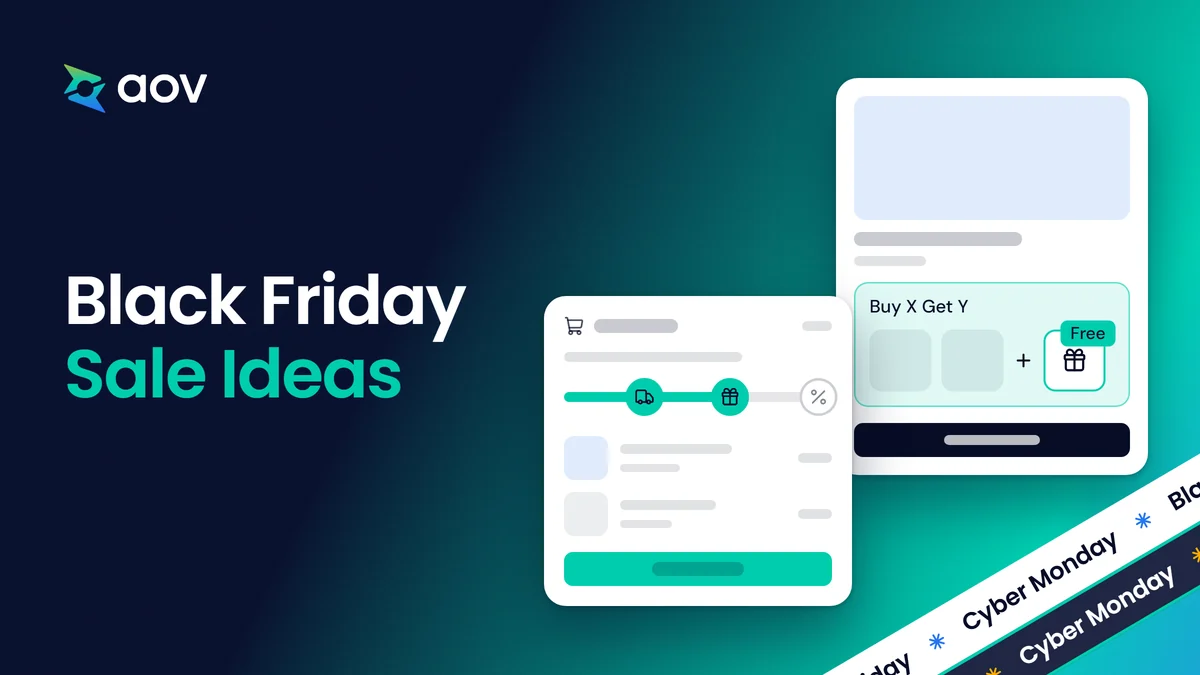
A Black Friday sale doesn't have to be a percentage discount. This guide gives nine sale ideas for your online store, from a price cut to free gifts, bundles, and free shipping. For each offer, you'll see when it fits and how to set it up on Shopify. Black Friday 2026 is on Friday 27 November, the first day of the BFCM sale: here is what BFCM means.
How to Choose a Black Friday Offer
Choose your offer by three things: your profit margin, your stock, and the action you want from customers. A Black Friday promotion has two parts: the offer, and the way you announce it. This guide is about the offer.
- Profit margin. How much of the price can you give back to the customer on each order?
- Stock. Which products do you want to sell first: your most popular products, or the stock that sells slowly?
- Customer action. Should customers buy once, buy more in one order, or come back after the sale?
Then find your situation in this list. Each line leads to one of the nine offers in this guide.
- You want one simple message for the whole store: a percentage discount on every product (offer 1).
- You want to sell slow stock: a discount on one collection (offer 2).
- Customers often buy one item: spend more, save more (offer 3).
- Your shipping fee is high next to your prices: free shipping above a spending level (offer 4).
- You have a low-cost product that customers like: a free gift above a spending level (offer 5).
- You want to sell more units of one product: Buy X Get Y (offer 6).
- Customers buy the product again and again: a quantity discount on one product (offer 7).
- Your products work well together, or as gifts: product bundles and gift sets (offer 8).
- You want customers to return after the sale: a gift card for the next order (offer 9).
On Shopify, you can set up offers 1 to 7 with one of the three discount types. Offer 8 needs a bundle app, and offer 9 uses gift cards.
To set a spending level, start from your average order value (AOV): the average amount that customers spend in one order. As a reference, Shopify reported an average cart price of $114.70 (US dollars) for its stores worldwide during BFCM 2025. Your own number matters more.
We don't rank these offers by sales results, because we have no reliable data for that. The right choice depends on your margin and your stock.
Offers That Lower the Price
If you look for Black Friday discount ideas, start with these two offers: both cut the price directly. You can create both with one type of Shopify discount: amount off. It gives a percentage or a fixed amount off a product, a collection, or an entire order.
1. Percentage Discount on Every Product
A percentage discount on every product is easy to explain: one number for the whole store. It fits when you want one clear message, and when your margin can carry the discount on every order.
Idea for a candle store: the same percentage off every candle, from Friday to Monday.
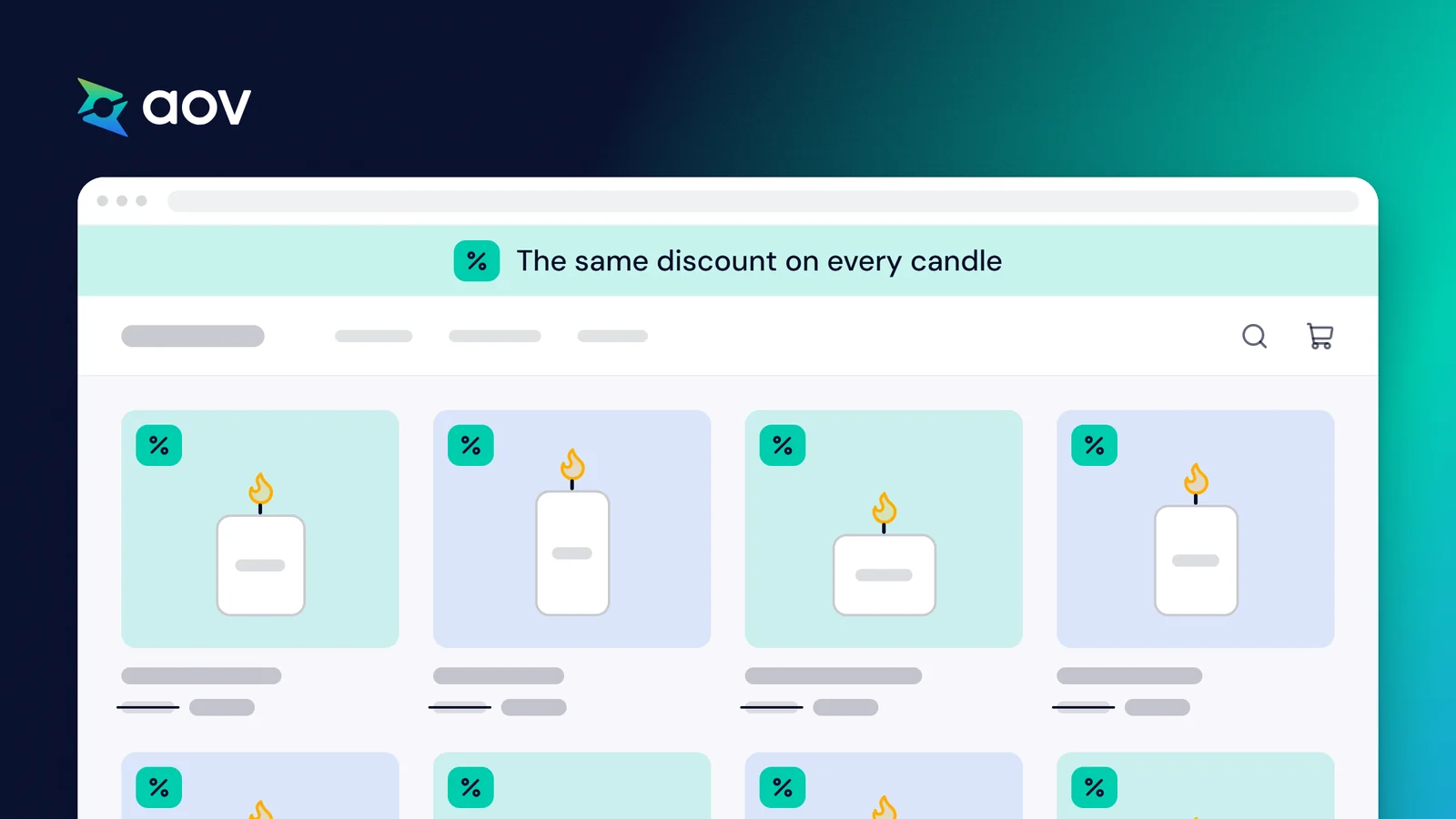
- On Shopify: Create an amount off discount as a discount code, or as an automatic discount. An automatic discount applies in the cart and at checkout when the conditions are met.
- Check first: This offer costs margin on every order, including the orders you would receive without it. Before you show a "was" price, read the price rules for the EU and the UK below.
2. Discount on One Collection
A discount on one collection applies to selected products only. It fits when you want to sell stock that moves slowly, and keep the price of your most popular products. It costs you a share of the price, but only on those products.
Idea for a home decor store: last season's cushion covers in one sale collection, and the new designs at full price.
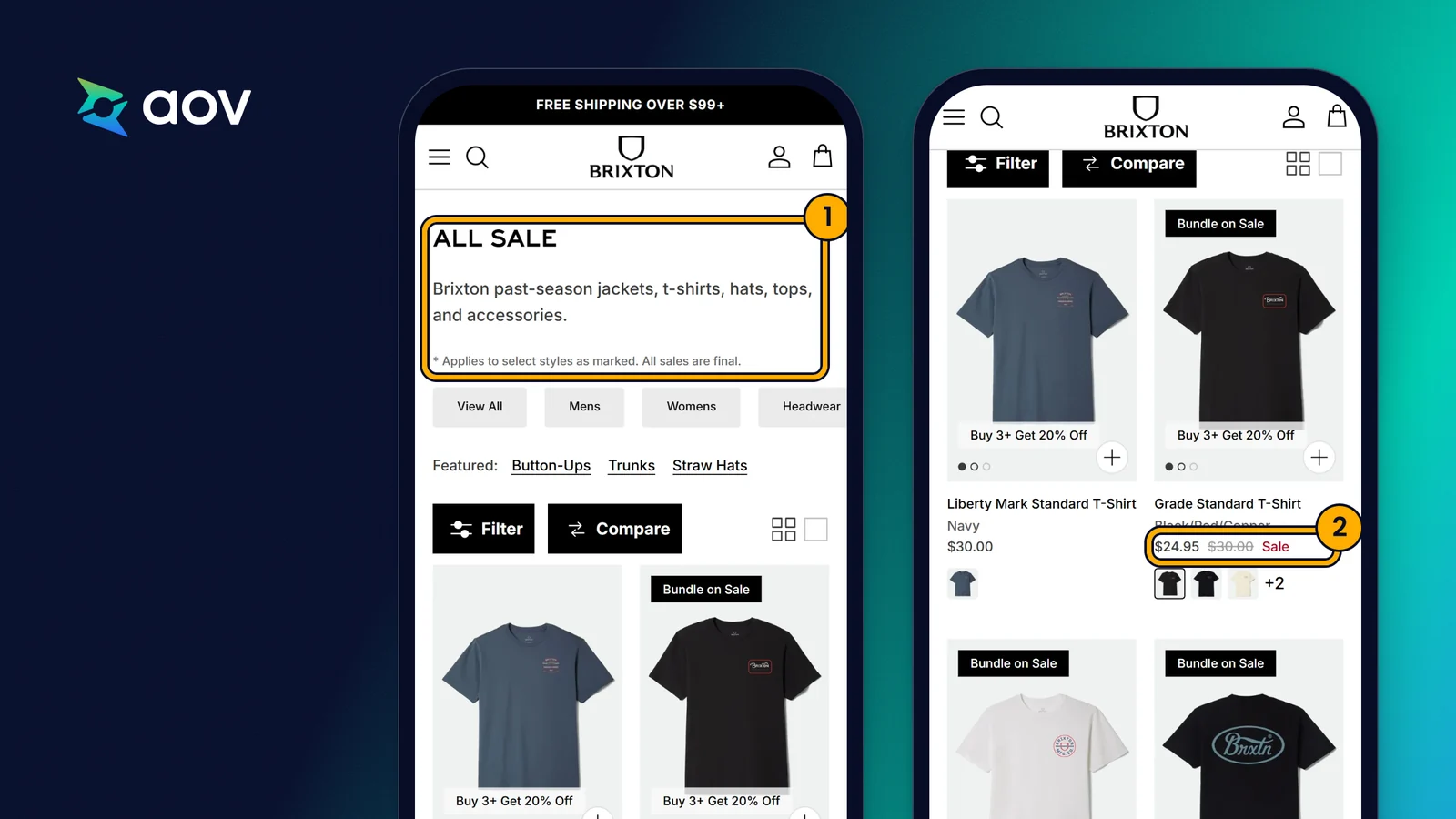
- On Shopify: Use the same amount off discount, and choose a product or a collection. You can also require a minimum purchase amount or a minimum quantity of items.
- Check first: Count your stock for every product in the collection.
Offers That Reward a Larger Order
The next seven offers give customers a reason to buy more in one order. A larger order means a higher average order value (AOV) for your store. Each offer sets a level, such as a spending level or a number of items. The reward comes at that level, and your listed prices stay the same.
3. Spend More, Save More
With this offer, the discount grows with the order: a small discount at the first spending level, and a larger one at the next. It fits when customers often buy one item and you want them to add a second.
Idea for a kitchenware store: a small discount above the price of one pan, and a larger one above the price of two.
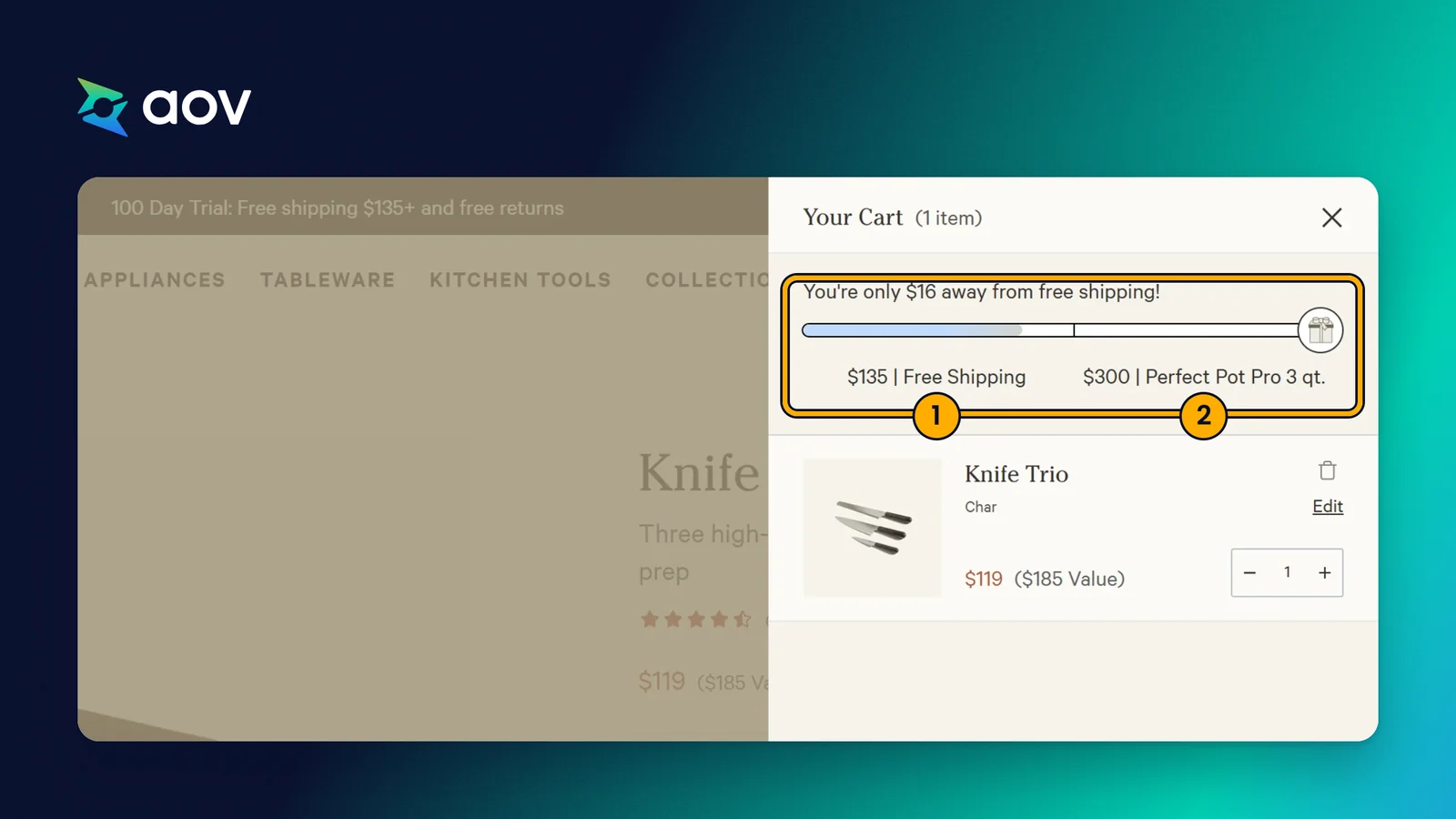
- On Shopify: You can create several automatic discounts, each with its own minimum purchase requirement, as the Shopify blog explains. A store can have at most 25 active automatic discounts, and this total includes discounts from apps.
- With an app: For discounts in several levels, the Shopify Help Center also points to discount apps. In AOV.ai Free Gifts, an Order Goal campaign gives discounts in levels, based on the total value of the order. A Milestone Rewards campaign can give a different reward at each level: free shipping, a free gift, or an order discount. Only one Milestone campaign can be active in a store at a time.
- Check first: Check your margin at each level before you publish the offer, because the largest discount applies to your largest orders.
4. Free Shipping Above a Spending Level
With this offer, larger orders pay no shipping fee. It fits when your shipping fee is high next to the price of your products. It costs you the shipping fee on your larger orders.
Idea for a shoe store: free shipping just above the price of one pair, so a pair of socks reaches the level.
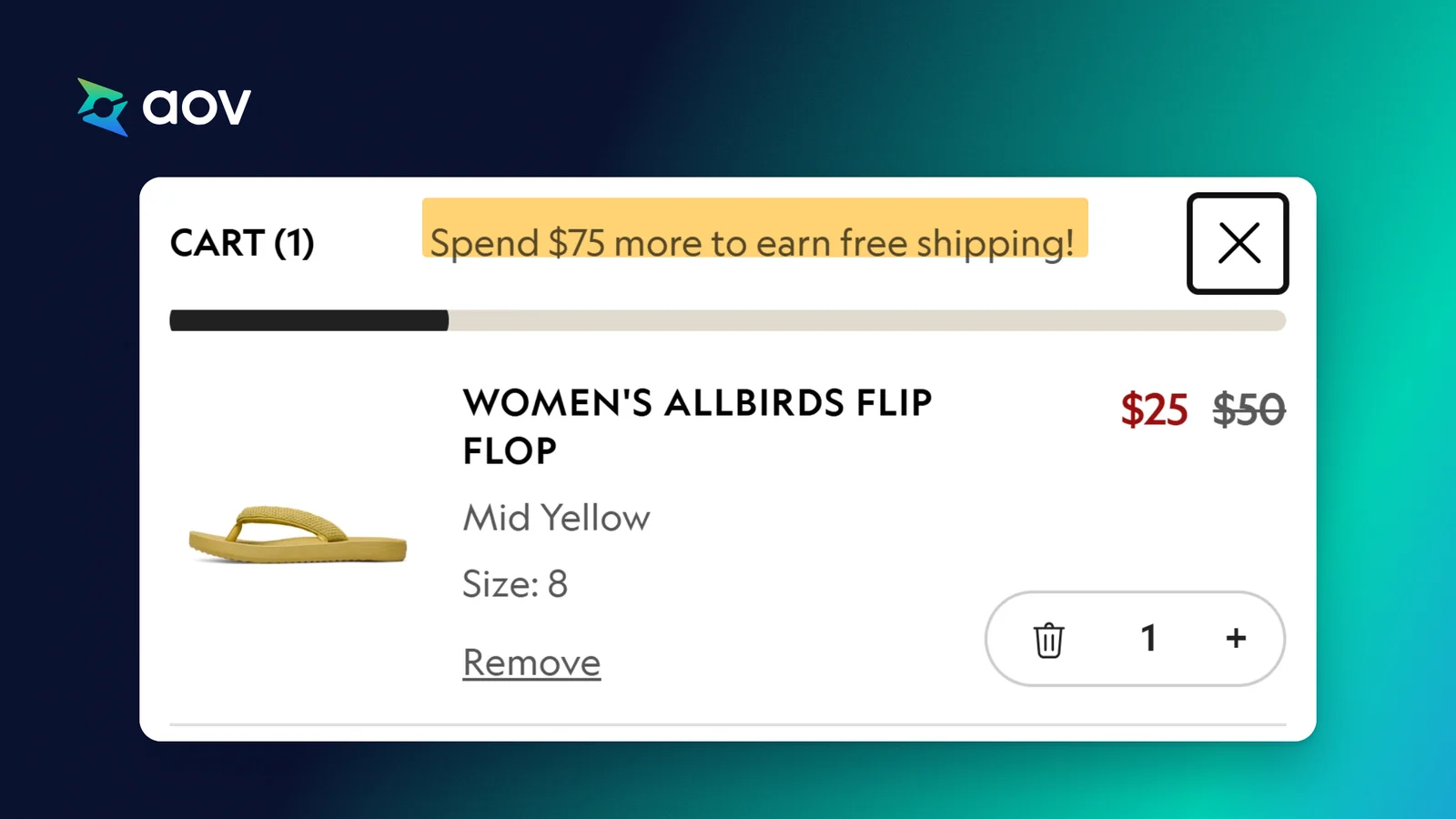
- On Shopify: Create a free shipping discount with a minimum purchase amount. You can limit it to the countries you choose.
- With an app: In AOV.ai Free Gifts, a Shipping Goal campaign gives free or cheaper shipping when the order reaches a set value.
- Check first: For this minimum, Shopify counts each product at its price after discounts. So if you also give a discount that can combine with free shipping, customers need more products to reach the level.
Our guide shows how to set up free shipping on Shopify.
5. Free Gift Above a Spending Level
With a free gift, your prices stay the same, and customers receive an extra product above a spending level. It fits when you have a low-cost product that customers like, such as a sample or a small item. It costs you the cost price of the gift.
Idea for a beauty store: a travel-size cream with every order above your spending level.
In our case study of Desio, customers who spend €39 choose two free lens samples from ten colours.
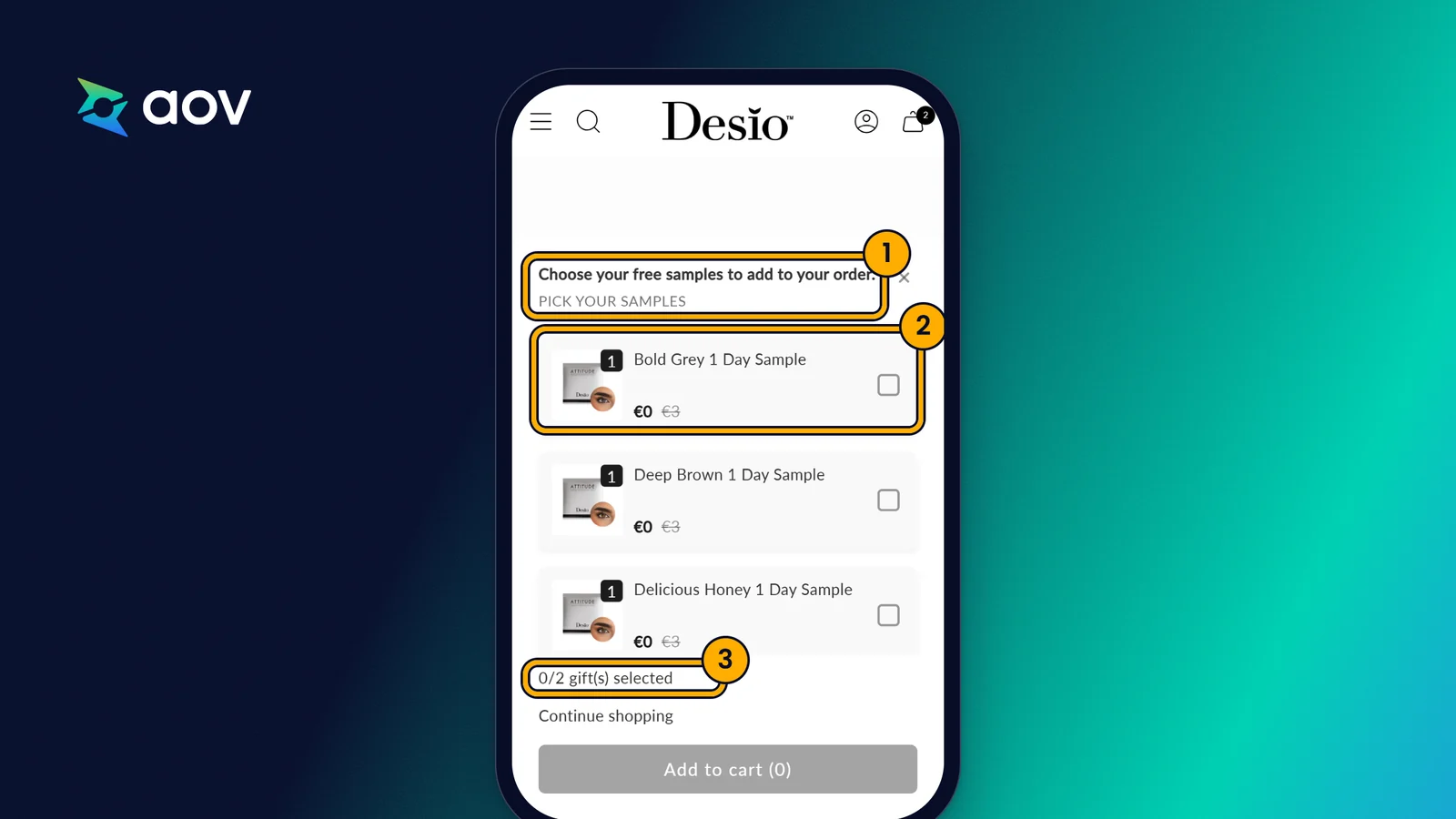
- On Shopify: A Buy X get Y discount code can make one product free when the cart total is above a set value. Customers add the gift to the cart themselves: the Shopify guide to Buy X get Y discounts says the free item is never added automatically.
- With an app: In AOV.ai Free Gifts, a Gift with Cart Value campaign gives a free gift when the cart reaches a set value. The app counts the original product prices for this value, before discounts. If you use several of these campaigns, customers receive one gift, from the highest level reached. A Gift with Collection Value campaign counts only the spending in one collection.
- Check first: Set the spending level above your average order value, so the gift rewards a larger order. Make sure you have enough stock of the gift for all four days.
For more ideas of this type, read our guide to a free gift with purchase on Shopify. Our free BFCM 2026 kit has 24 more free gift ideas, for 8 kinds of stores. You can get the kit by email on our email templates page.
6. Buy X Get Y
With Buy X Get Y, customers buy one product and get another one free or at a lower price. When the second product is the same as the first, the offer is called BOGO: buy one, get one. It fits when you want to sell more units, or to clear one product. It costs you the cost price of the second item.
Idea for a fashion store: buy one shirt, get one pair of socks free.
In our case study of Tools4Trade, two items from one collection of work clothes put a £9.99 bottle in the cart, with no code.
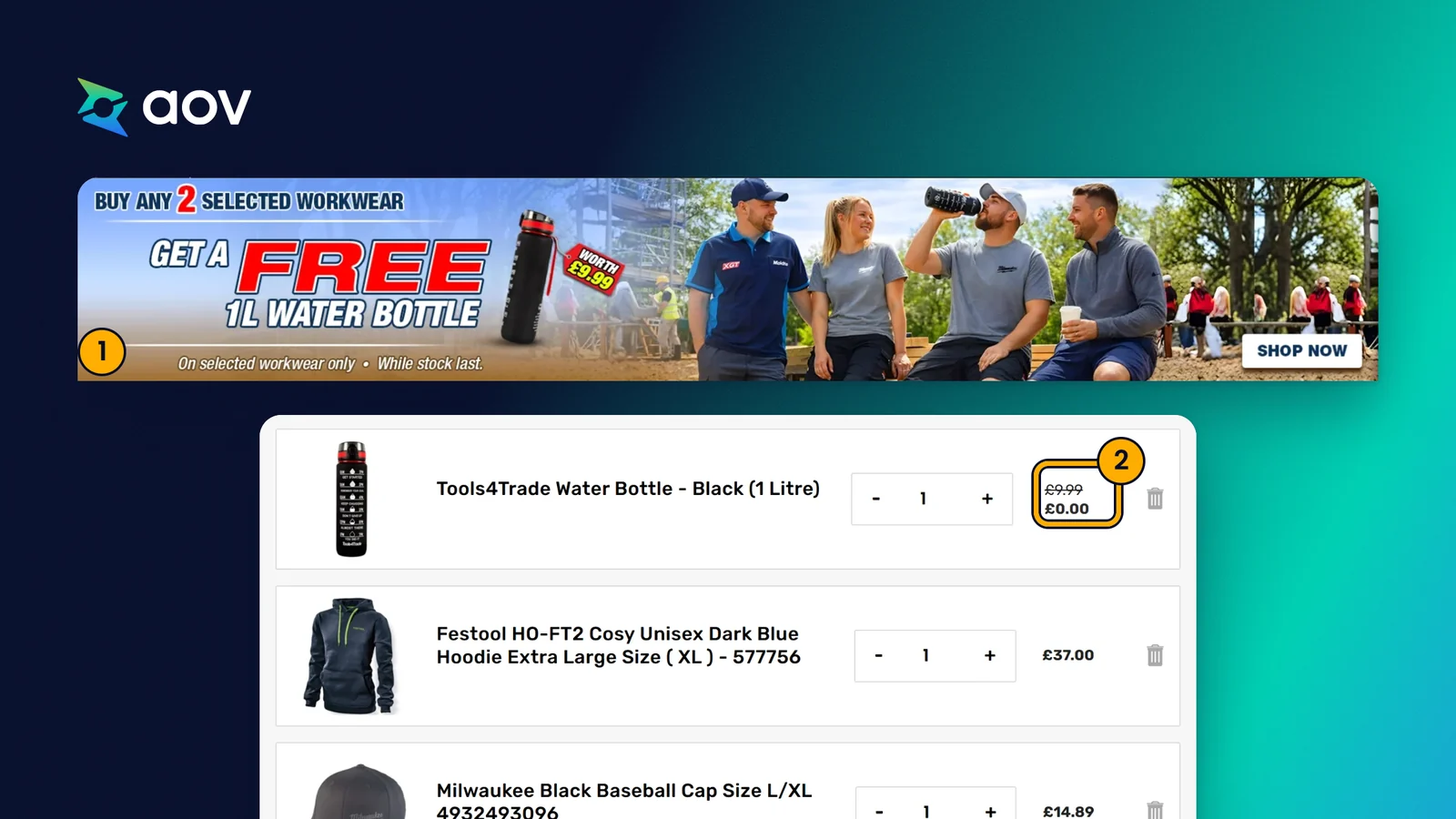
- On Shopify: Buy X get Y is one of the three discount types. As with a free gift, customers add every item to the cart themselves.
- With an app: In AOV.ai Free Gifts, a Buy X Get Y campaign gives a free product when customers buy specific items. In this type of campaign, the app can add the gift to the cart automatically and show a message to the customer. With the BOGO option, the gift is the same as the item in the cart. By default, this option gives one gift in total, and it isn't available in the Shopify point of sale system. A Gift with Quantity Purchase campaign gives a gift when customers buy a set number of items.
- Check first: Count the cost of the free item on every order that gets it, and check the stock of both products.
Our guide explains how to set up a Buy X Get Y offer. To compare apps for free gifts and Buy X Get Y, see the product page part of our best Shopify apps for Black Friday.
7. Quantity Discount on One Product
A quantity discount gives a lower price for each unit when customers buy more units of the same product. It fits products that customers use and then buy again.
Idea for a pet food store: a lower price for each bag when customers buy three bags of the same food.
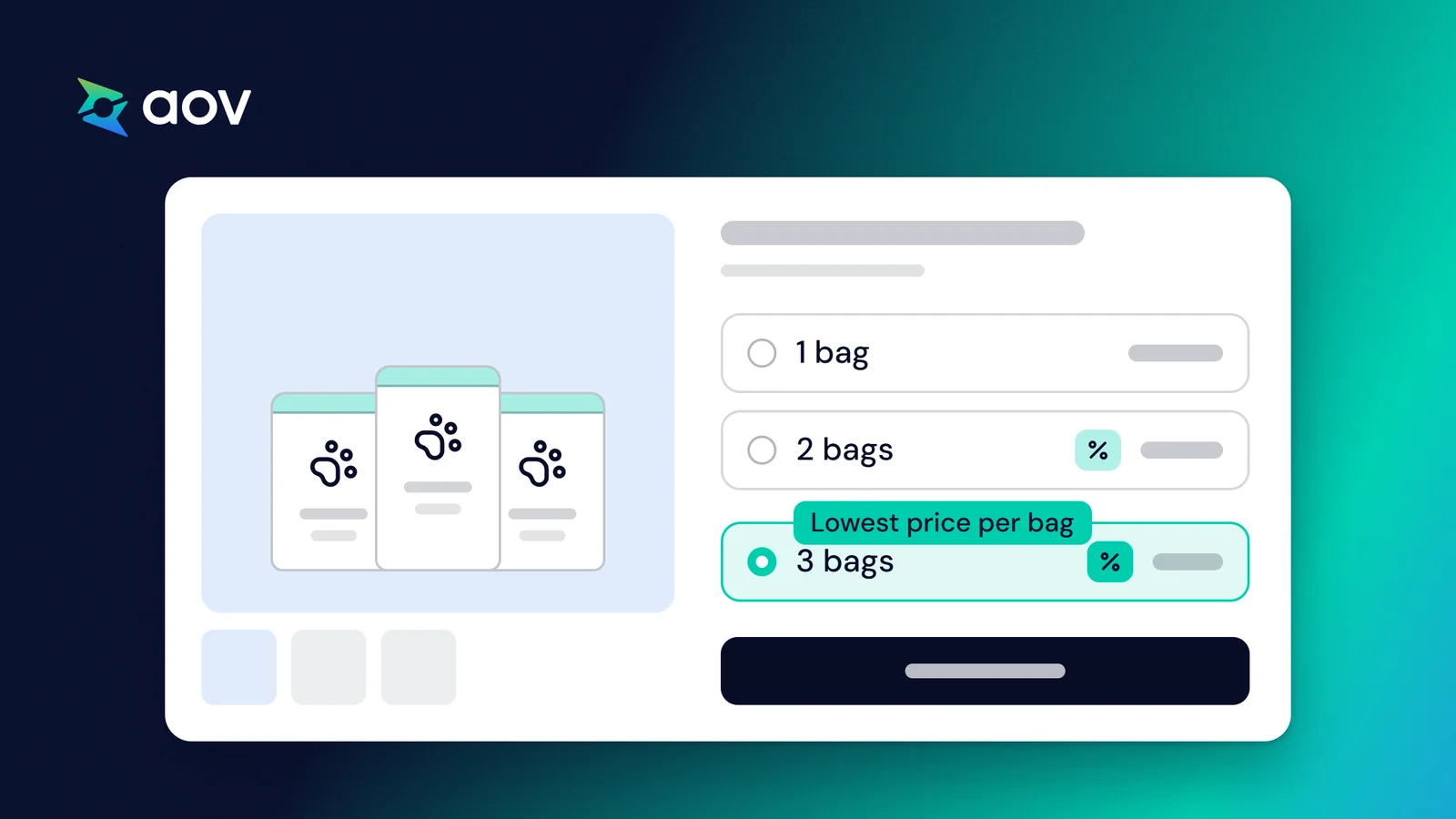
- On Shopify: Add a minimum quantity of items to an amount off discount.
- With an app: In AOV.ai Bundles, a Volume Discount offer rewards customers for buying more units of the same product.
- Check first: Check the price of one unit at every level, and compare it with your cost price.
Our guide explains quantity discounts on Shopify step by step.
8. Product Bundles and Gift Sets
A bundle is a set of two or more related products, usually sold at a discount. It fits when your products work well together, or when customers buy them as gifts. It costs you the discount on the set.
Idea for a tea store: three teas and an infuser, sold together as one gift set.
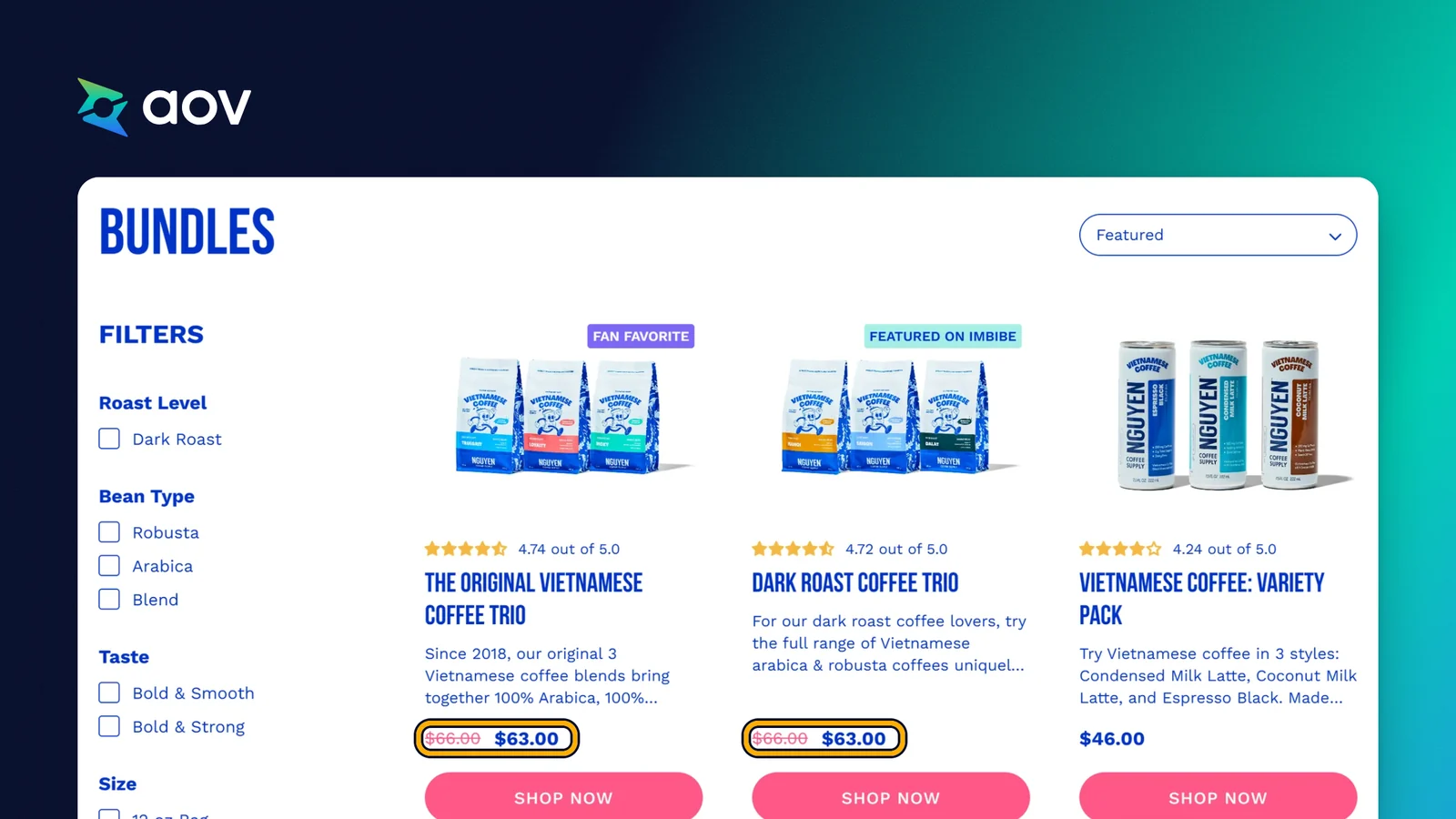
- On Shopify: To create bundles, your store must have a bundle app. The free app Shopify Bundles is available on all plans. It creates fixed bundles and sets of several units of one product.
- With an app: In AOV.ai Bundles, a Product Fixed Bundle sells a prepared set as its own product, for example a gift set. With Bundle Builder, customers build their own set from a list of products, with larger savings as they add more. That bundle has its own page, so link to it from your store. On a product page, Frequently Bought Together suggests products to add.
- Check first: The stock of a bundle depends on the product in the set with the lowest stock. A mystery bundle, where customers don't see every item before they buy, can help you sell slow stock.
Our guide shows how to create product bundles on Shopify.
9. Gift Card for the Next Order
With this offer, customers who reach a minimum order value receive a gift card for a later purchase. It fits when you want a second order after the sale. It costs you the value of the card, when the customer uses it.
Idea for a toy store: a gift card with every order above your spending level, to use in January.
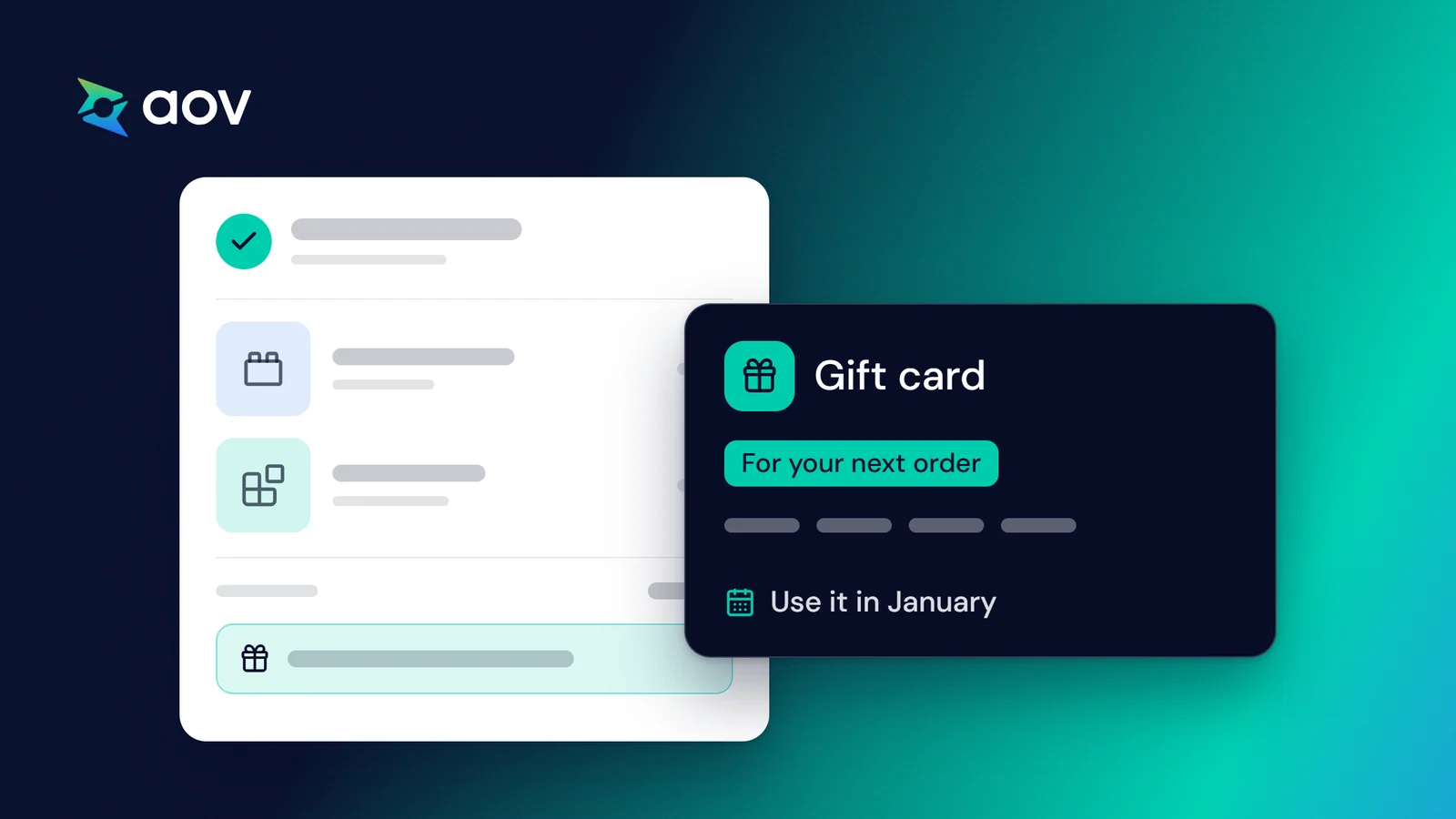
- On Shopify: Gift cards are available on all plans, and you create and send them from your admin.
- Check first: Tell customers when they will receive the card and how to use it.
What stops customers from buying?
Get a free Shopify store auditWhen to Start and End Your Offer
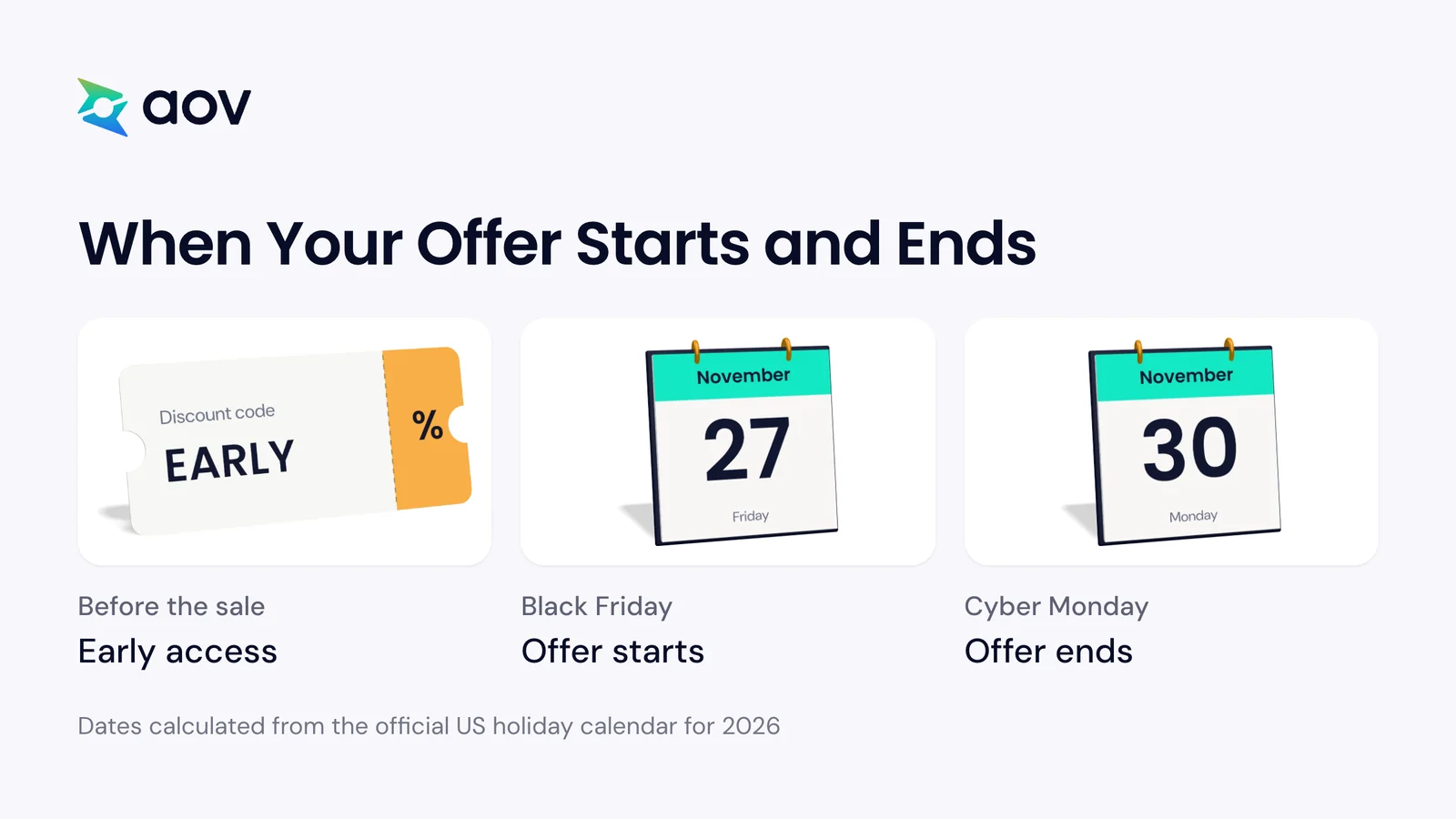
A simple plan is one offer for the whole sale, from Friday 27 November to Monday 30 November 2026. These dates follow from the official US holiday calendar. Stores now often keep Black Friday and Cyber Monday as one promotion, as Shopify notes.
In Shopify, every discount has a start date, and you can set an end date. Both dates follow the time zone of your store. To open the sale early for your best customers, create a discount code for specific customers or for a customer segment. Then send that code in an early access email, and remind everyone on the last day. Our Black Friday email templates include both emails.
A different deal for each day or each hour needs someone to watch the store. If your team is small, one offer for the four days is easier to manage. Our Black Friday checklist lists the tasks for each week before the sale. To see which day sells the most online, read our Black Friday statistics.
Black Friday Ideas for Small Businesses
A small business doesn't need the largest discount to take part in the sale. In the United Kingdom, a price study by the consumer group Which? compared 175 products on offer at eight stores on Black Friday 2024. All of these home, tech, and health products were the same price or cheaper at other times of the year. This is one reason to choose an offer that customers can check easily, such as a gift or a set.
Four deal ideas for a small team:
- Start with one offer. A free gift above a spending level, or a bundle, keeps your listed prices the same.
- Use what Shopify includes first. Its three discount types cover price cuts, Buy X get Y, and free shipping.
- Keep the same offer for all four days. You set the start date and the end date once.
- Add Small Business Saturday. In the United Kingdom, it's on 5 December 2026, the first Saturday in December.
If your offer needs an app, our guide to the best apps for Black Friday explains which app fits each task.
Check the Price Rules in the EU and the UK
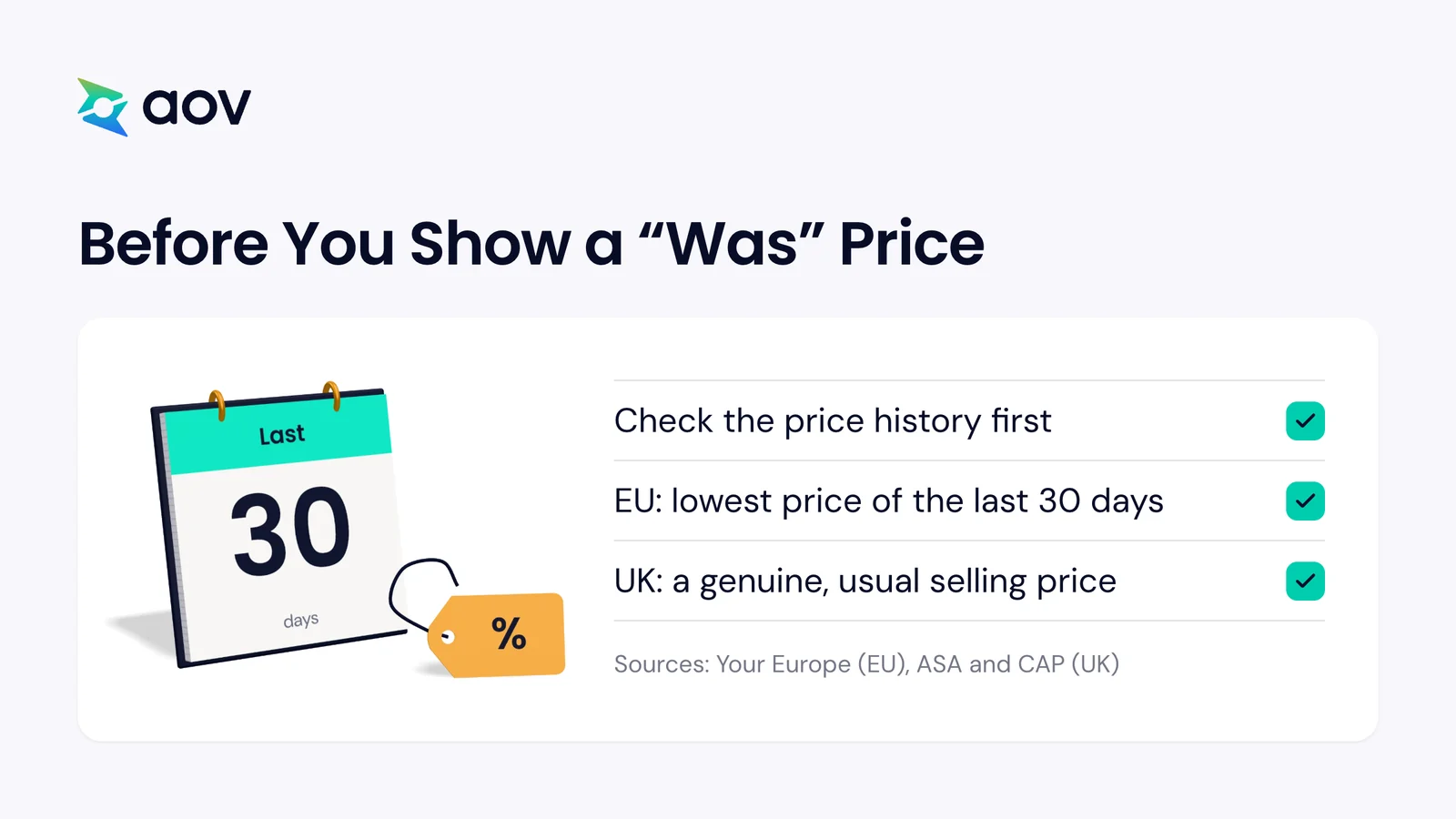
Before you show a "was" price next to a sale price, check the price history of the product. In all EU countries, a store that offers a discount must show the lowest price of the last 30 days. The EU explains this rule on its Your Europe website.
In the United Kingdom, the Advertising Standards Authority has advice on savings claims on its website. A reference price, such as a "was" price, must be a genuine and usual selling price. It must not give customers a false idea of the saving.
Example: Counting the 30 Days in the EU
If you sell to EU customers and your sale starts on 27 November, the prices from 28 October to 26 November count, by our calculation. The lowest price in that period is your reference price. Take a product that normally costs €60, and that you want to sell for €48 on Black Friday.
| Your price before the sale | Reference price | Discount at €48 |
|---|---|---|
| €60 every day from 28 October | €60 | 20% |
| €60, with a €50 offer on 11 November | €50 | 4% |
| €50 until 10 November, then €60 | €50 | 4% |
This is why the date matters: the price you want to cross out must apply every day from 28 October. Raising it in November is too late, because the lower price stays inside the 30 days. So set your prices by 28 October at the latest, and plan no other price offer on these products before the sale.
The period moves with your start date: from 24 October for a sale that starts on 23 November, and from 31 October for a sale on 30 November. Your Europe counts from the announcement of the discount. If you announce on 23 November a sale that starts on 27 November, count from 24 October too.
This example follows the EU rule. For customers in the UK, use the Advertising Standards Authority advice above.
Past 28 October: How to Set the Price
You can still start on 27 November. You only need to work from the right price.
- Check each product. Look at the prices and offers you have used since 28 October. The lowest one is your reference price.
- Show that price as the crossed-out price. If nothing changed, it stays €60. If you ran a €50 offer on 11 November, it is €50.
- Work out the sale price from there. For 20% off €50, the sale price is €40.
- Margin too thin? Give a smaller discount, or choose products that have not been cheaper since 28 October.
Don't raise the price now to show a higher crossed-out price. If a €60 product goes up to €75 on 5 November, its reference price for 27 November stays €60. Your Europe gives an inflated original price as an example of a misleading discount. Waiting doesn't help either: the €50 from 11 November counts for any sale that starts up to 11 December.
This section is general information and is not legal advice. Check the rules of your own country before you publish a sale price.
Check Your Own Store
An offer helps only when customers can see it and pay without a problem. Our step-by-step guide shows how to prepare your store for Black Friday on Shopify. At AOV.ai, we also offer a free Shopify store audit. It shows you how to make your store easier to buy from before the sale begins.
See what your store needs before Black Friday
Free store audit + BFCM 2026 Toolkit
- Check your whole store
- See what stops customers from buying
- Get 200+ Black Friday tips
Frequently Asked Questions
Which Black Friday Offer Is Best?
No single offer is best for every store. A percentage discount is easy to explain, and it costs margin on every order. A free gift, a bundle, or free shipping above a spending level rewards a larger order. Choose by your profit margin and your stock.
Can I Use Two Offers at the Same Time?
Yes, when you allow it for each discount. In Shopify, you choose the classes of discount that each one can combine with: product, order, or shipping discounts. Not every combination is available to every store, so read how discounts combine on Shopify and test your offers at checkout. Our guide on how to prepare your store for Black Friday explains the steps.
Do I Need a Different Offer for Cyber Monday?
No. Stores now often keep Black Friday and Cyber Monday as one promotion, according to Shopify. If you keep one offer, set its end date to Monday 30 November 2026. This date follows from the official US holiday calendar.