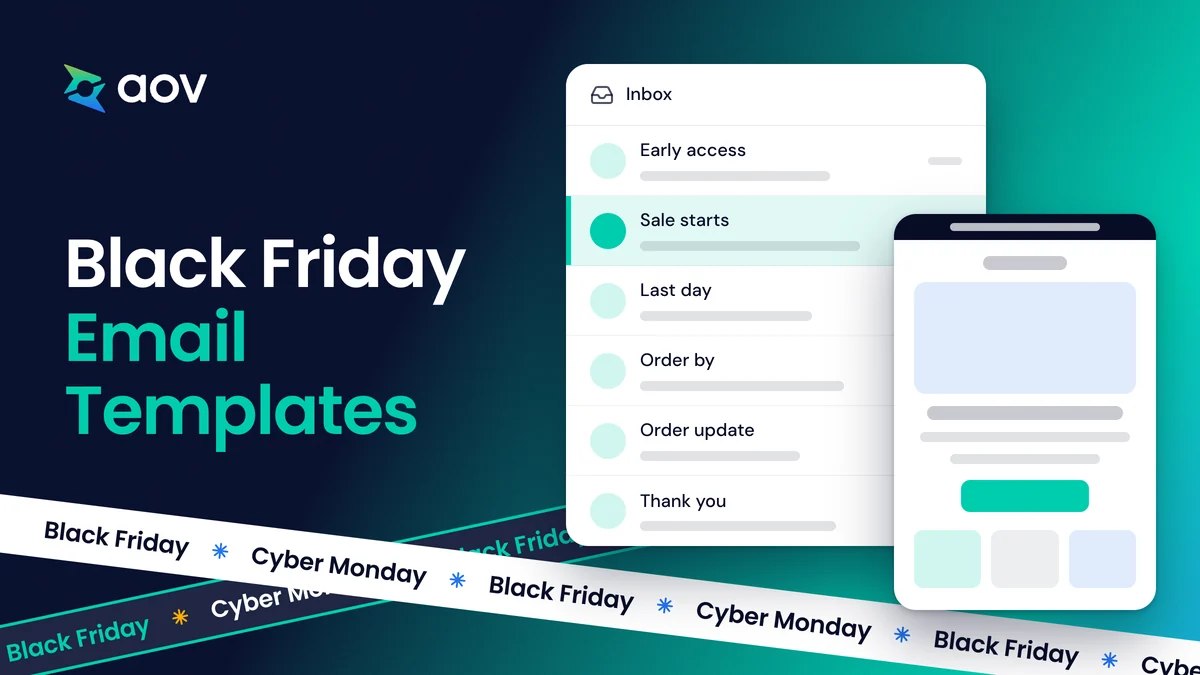
These six Black Friday email templates cover a whole BFCM sale for a small online store. They start with early access on 25 November and end with a thank-you email after Cyber Monday. Below, you can copy the subject lines, the words, and a short SMS version of each email. All six are also in our free BFCM 2026 kit, with five more guides for your sale. New to the name BFCM? Here is what BFCM means.
When to Send Each Black Friday Email
Send the six emails in this order, from a few days before Black Friday to a few days after Cyber Monday. Black Friday 2026 is on Friday 27 November, the day after Thanksgiving on the official US holiday calendar. Cyber Monday follows on Monday 30 November.
| When to send | Who gets it | |
|---|---|---|
| 1. Early access | Wednesday 25 November, 2 or 3 days before Black Friday | Your email subscribers |
| 2. The sale starts | Friday 27 November, early in the morning | All your subscribers |
| 3. The last day | Monday 30 November, a few hours before the sale ends | All your subscribers |
| 4. Order by a date for Christmas | A few days before your last order date, and again on that day | All your subscribers |
| 5. A problem with an order | As soon as you know an order is late | The customers of that order only |
| 6. Thank you | 1 to 3 days after Cyber Monday | The customers who bought in the sale |
Emails 1 to 4 bring in orders. Emails 5 and 6 look after the customers who already bought, and give them a reason to come back.
6 Black Friday Email Templates You Can Copy
Each template starts with its purpose and when to send it. Then come two subject lines to test, a preview text, the words of the email, and an SMS version. Replace the words in [brackets] with your own: your discount, your products, and your dates. Email is worth this work. In BFCM 2025, email and text drove 42% of total revenue for Klaviyo customers, according to Klaviyo's report on BFCM.
Under most templates, you'll find a real email from a brand that did the same job, with a link to the source.
1. Early Access for Your Subscribers
An early access email opens your Black Friday sale to your subscribers before everyone else.
- Purpose: Thank the people on your list. They see your prices first and can buy before the busy weekend.
- When to send: 2 or 3 days before Black Friday, for example on Wednesday 25 November.
Template Early access
Subject line A Early access: our Black Friday sale opens for you first
Subject line B [First name], shop our Black Friday sale before everyone else
Preview text [X]% off [what is on sale], before the sale opens to everyone.
Subscribers only
Shop our Black Friday sale before everyone else
Our sale opens to everyone on Friday 27 November. You can shop it now, with [X]% off [what is on sale].
Shop early access
Small print Early access ends when the sale opens to everyone on Friday 27 November.
SMS version
[Store]: Our Black Friday sale is open early for you. [X]% off [what is on sale]: [link]
To keep the offer for your subscribers, give early access with a discount code that you send only in this email.
Real examples
TANIT Botanics invited shoppers to start Black Friday early, with the subject line "Celebrate early with us" (Shopify's email examples). The Couture Club gave its most loyal customers password-only access to a discount (Klaviyo's UK examples).
2. Your Black Friday Sale Starts Now
The sale email tells your whole list that your Black Friday sale has started.
- Purpose: Say in one clear email what is on sale and when the sale ends.
- When to send: Friday 27 November, early in the morning.
To choose the offer first, read how to choose your Black Friday offer.
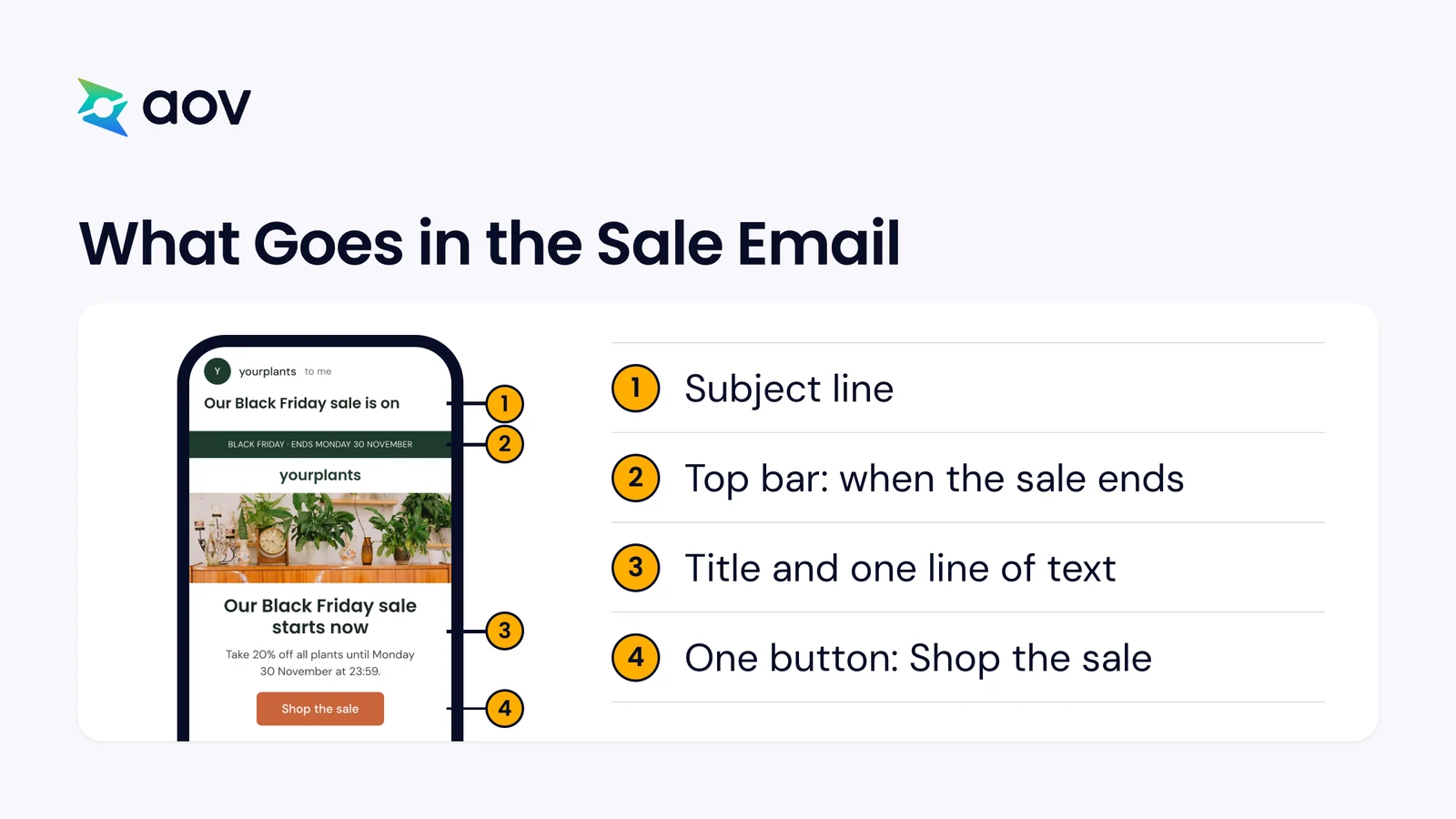
Template The sale starts
Subject line A Our Black Friday sale is on
Subject line B [X]% off [what is on sale] until Monday 30 November
Preview text Ends Monday 30 November at [end time].
Black Friday · Ends Monday 30 November
Our Black Friday sale starts now
Take [X]% off [what is on sale] until Monday 30 November at [end time].
Shop the sale
Under the products Delivery: Order by [last order date] for Christmas. Returns: [number of days] days to return. Help: Reply to this email.
SMS version
[Store] Black Friday: [X]% off [what is on sale] until Mon 30 Nov. [link]
Before you send, check the price rules of the EU and the UK in the section "Check These Before You Send" below.
Real example
Pepper announced its site-wide sale with the subject line "Up to 40% off 😱". Shopify's notes on it: the email gives the brand's name, the dates, the savings, and one focused button.
3. Last Day: The Sale Ends Tonight
The last-day email is a reminder, sent a few hours before your sale ends.
- Purpose: Reach the people who meant to buy and haven't yet.
- When to send: Monday 30 November, a few hours before the sale ends. Send it only if the sale really ends that night.
Template The last day
Subject line A Last day: our sale ends tonight at [end time]
Subject line B Ends tonight: [X]% off [what is on sale]
Preview text After [end time] tonight, prices go back to normal.
Last day · Ends tonight at [end time]
Our sale ends tonight
After [end time] tonight, [X]% off [what is on sale] ends and prices go back to normal. These are still in stock:
Shop before [end time]
SMS version
[Store]: Last day. [X]% off ends tonight at [end time]. [link]
If you decide to keep the sale on, don't send this email. Send one that gives the new end date.
Real example
Revival sent its last-day email as "A letter from our co-founder". It gave an exact deadline, Monday at midnight PT, as Shopify points out.
4. Order by Your Last Date for Christmas
This email gives gift buyers your last order date for delivery before Christmas.
- Purpose: Help gift buyers order in time, so their gifts arrive before 25 December.
- When to send: A few days before your last order date for Christmas, and again on that day.
Template Order by a date for Christmas
Subject line A Order by [last order date] for Christmas delivery
Subject line B Last day for Christmas delivery: [last order date]
Preview text Too late after that? [A gift card arrives by email.]
Order by [last order date] to get it for Christmas
Orders placed by [last order date] at [time] arrive before 25 December.
Table One row for each area you ship to, with the last order date for that area.
Too late for delivery? [A gift card arrives by email.]
Find a gift
Above the products Gifts under [amount]
SMS version
[Store]: Order by [last order date] for delivery before Christmas. [link]
Take the dates from your carrier, one row for each area you ship to. Then put the same dates on your store pages, so the email and the store match.
Real example
Twinings sent its Black Friday sale with free UK shipping. Klaviyo's tip for this kind of email: be clear about shipping times and possible delays.
5. Sorry, We Have a Problem With Your Order
This email tells a customer that their order is late or has a problem.
- Purpose: Keep the customer's trust with a short, honest message, before they have to ask.
- When to send: As soon as you know an order will be late. Keep it plain, with no sale and no products, because the email is about their order.
Template A problem with an order
Subject line A Your order #[order number]: an update on delivery
Subject line B Sorry, your order #[order number] is late
Preview text What happened, your new date and what we are doing about it.
Sorry, your order is running late
Hi [First name], your order #[order number] will arrive later than we said. [What happened, in one sentence.]
Box New delivery date: [new delivery date]. What we are doing: [Refund the shipping / Add a small gift / Send it first].
If you would rather not wait, reply to this email and we will [cancel and refund the order].
Track your order
Sign-off [Your name], [store]
SMS version
[Store]: Sorry, order #[order number] is late. New date: [new delivery date]. Details in your email.
Send it only to the customers of that order. Your whole list doesn't need it.
6. Thank You: Here Is What Comes Next
The thank-you email goes to the customers who bought in your sale.
- Purpose: Answer their next questions and give them a reason to come back. In BFCM 2025, revenue from repeat customers grew 13.5% for Klaviyo customers, faster than revenue from new buyers.
- When to send: 1 to 3 days after Cyber Monday.
Template Thank you
Subject line A Thank you for shopping with us
Subject line B Thank you, [First name]: here is what comes next
Preview text Your delivery, your returns and how to reach us.
Thank you for your order
Thank you for shopping our Black Friday sale. Here is what comes next.
Three steps Delivery: Your order ships by [ship date]. We email you the tracking link. Returns: You can return it until [return date]. Help: Questions? Reply to this email.
See what is new
Above the products Picked for you
SMS version
[Store]: Thank you for your order. Returns until [return date]. Questions? Reply here.
Leave the sale out of this email. Its job is the next order, so it doesn't offer a bigger discount.
Real example
Wondery Outdoors sent a thank-you email on Small Business Saturday, with no sale and no discount. Shopify describes it as a note of thanks with a group photo of its community.
Want all six emails as a PDF?
Get the free BFCM 2026 kitMake Your Emails Look and Sound Like Your Brand
Pick one design style that suits your products, then keep it for every email of the season. In the kit, template 2 is drawn in 21 styles, each with four colors and a free Google Font.
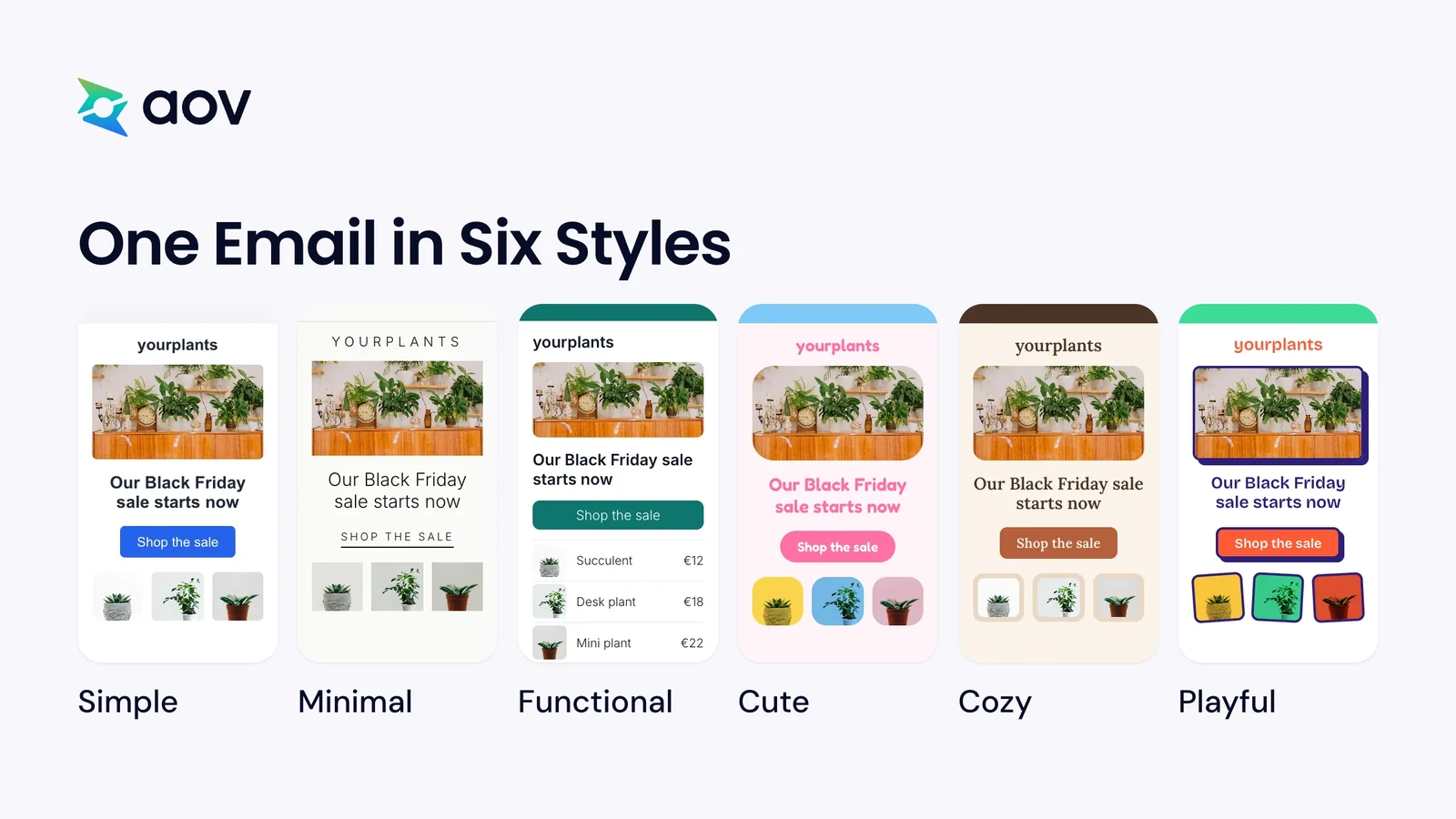
Here is what these six styles look like, and which stores they suit:
| Style | What it looks like | Good for |
|---|---|---|
| Simple | One column, one button, small round corners, one clear product photo | Any store, a first BFCM email |
| Minimal | Lots of white space, thin lines, text links, one photo on a plain background | Skincare, design, small collections |
| Functional | A product list with prices, a full-width button, small product photos | Stores with many products, electronics, repeat buyers |
| Cute | Big round corners, pill buttons, products on soft pastel colors | Gifts, beauty, kids, stationery |
| Cozy | Soft corners, warm cream blocks, photos of rooms at home | Home, wool clothing, candles, coffee |
| Playful | Thick black lines, photos at an angle, a bright color behind each product | Toys, snacks, socks, gifts |
Keep the same style in your store banner and your social posts, so customers know the sale is yours.
Keep One Voice in All Six Emails
Your six emails should sound like one person from your store, from the first email to the last. Before you write, decide on your words and your voice, then use them in every email and SMS.
Our advice for a consistent voice
- Choose three words for your voice. For example, "Warm, honest, simple" for a home store, or "Expert, calm, direct" for an electronics store.
- Give your sale one name. Use the same name in every subject line, title, SMS, and store banner.
- Say the offer the same way each time. If the first email says "[X]% off", the last one says "[X]% off" too.
- Write to one customer. Use "you" and "we", short sentences, and the words your customers use.
- Sign every email the same way. Revival signed its last-day email as its co-founder, which gives it a personal feel.
- Stay true to your values. Merry People sent Black Friday emails without a sale offer.
- Read AI drafts before you send. One prompt in the kit changes these templates to the voice of your brand. Check each email against your three words.
Check These Before You Send
Before each email goes out, send yourself a test and open it on a phone. Check the links, the prices, and every [bracket] you had to replace. Then go through these five points:
- Keep a clear unsubscribe link. If you send 5,000 or more messages a day to Gmail, your emails must support one-click unsubscribe. They also need a clearly visible unsubscribe link in the message.
- In the EU, show the lowest earlier price. When you announce a discount, show the lowest price of the 30 days before it. This is the EU rule on discounts.
- In the UK, use a real "was" price. The UK competition authority asks for a genuine and realistic selling price as the higher price.
- Say "ends tonight" only when it does. A countdown is misleading if the sale price goes on after the end you announced.
- Plan a second way to reach customers. On 30 November 2024, one store owner wrote that their emails were "stuck on sending for 7 hours". If an email fails on the day, use texts, social posts, or a banner on your store.
For the other tasks before the sale, use our Black Friday checklist.
Other Black Friday Emails You Can Send
The six templates are the core emails of a BFCM sale for a small store, from before the sale to after it. You can send other emails too, when you have the time and the right customers for them:
- Abandoned cart email. It reminds shoppers who left items in their cart. During Black Friday, Klaviyo suggests adding your Black Friday discount to these emails.
- Small Business Saturday email. Small Business Saturday falls on the Saturday after Thanksgiving, between Black Friday and Cyber Monday. Compartés sent a personal note for that day, with a soft Black Friday offer.
- Daily deal email. Spotlight Oral Care sent a short flash sale and a new daily deal on one product, as Klaviyo shows. New offers give subscribers a reason to watch their inbox for the next one.
- Sale extended email. If you keep the sale on after Cyber Monday, send one email with the new end date. A real extension has a real end date and a reason, such as the stock you have left.
- Follow-up for people who didn't buy. After its sale, Spotlight Oral Care sent a plain text email to the customers who didn't buy.
Short on time? Send the six templates first. They cover the days before, during, and after the sale.
What Else Is in the Free BFCM 2026 Kit
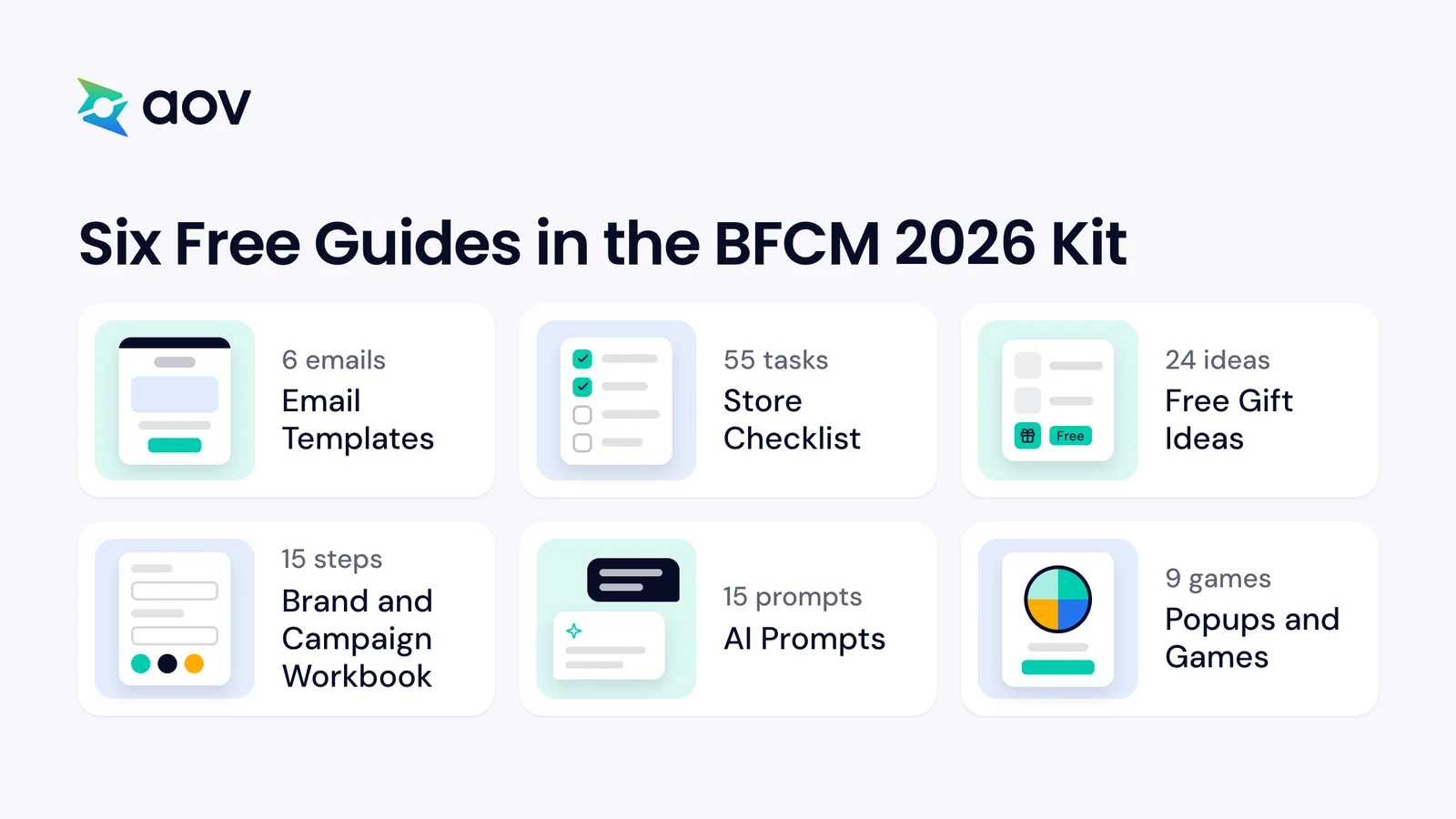
The email templates are one of six free guides in the BFCM 2026 kit. Each guide is a PDF file, with examples for different kinds of stores.
Store Checklist: 55 Tasks Before, During, and After the Sale
The Store Checklist has 55 tasks in three stages: before Black Friday, during the sale, and after Cyber Monday. In the PDF, you can mark each task as done and add a note. For the steps in your Shopify admin, read how to prepare your store for Black Friday.
Free Gift Ideas: 24 Ideas by Store Type
This guide gives 24 free gift ideas for 8 kinds of stores, such as fashion, beauty, home, and pets. The ideas come in three levels of average order value, with the cost of each gift worked out. It also shows how to set up a gift in AOV.ai Free Gifts. In a Gift with Cart Value campaign, the app gives a free gift once the cart reaches a set value.
Brand and Campaign Workbook: 15 Steps to Plan Your Sale
The workbook has two parts: branding in 6 steps, then your marketing campaign in 9 steps. You type your answers in the PDF, from your main customer to your offer, your channels, and your budget.
AI Prompts: 15 Prompts for ChatGPT and Sidekick
The 15 prompts help you plan the sale, check the numbers of your offer, and write posts, banners, and answers to customers. Sidekick is the AI assistant in your Shopify admin. One prompt changes these email templates to the voice of your brand.
Popups and Games: 9 Games for Your Store
This guide shows 9 games for your store, such as spin the wheel, scratch to reveal, and pick a mystery gift. Each game says what it is best for and comes with a prompt for Sidekick. It also explains how to build a popup without an app.
Get the Free Kit
The full kit has six PDF guides, and you get them by email. It is free, with no card and nothing to install. On our BFCM 2026 page, you can also check your store with our free Shopify store audit.
Get the free BFCM 2026 kit
The six email templates, a 55-task store checklist, 24 free gift ideas, a 15-step campaign workbook, 15 AI prompts, and 9 popup games.
We email you the kit and up to 3 short tips. You can unsubscribe at any time. Privacy policy
Frequently Asked Questions
What Are Some Catchy Phrases for Black Friday?
Use clear phrases that say what is on sale and until when. Here are two subject lines from the templates above. The first is "Early access: our Black Friday sale opens for you first". The second is "Last day: our sale ends tonight at [end time]". Say "ends tonight" only when the sale really ends that night.
What's a Good Black Friday Email Example?
Template 2, "Your Black Friday Sale Starts Now", is a good first example. In one email, it says what is on sale, how much you save, and when the sale ends. The row under the products answers three questions: delivery for Christmas, returns, and help.